Review fundraisers for district approval
District admins have the final approval for all fundraisers within their district. They are notified when approvals are pending.
To review pending fundraisers:
1. On the notification, click Click Here.
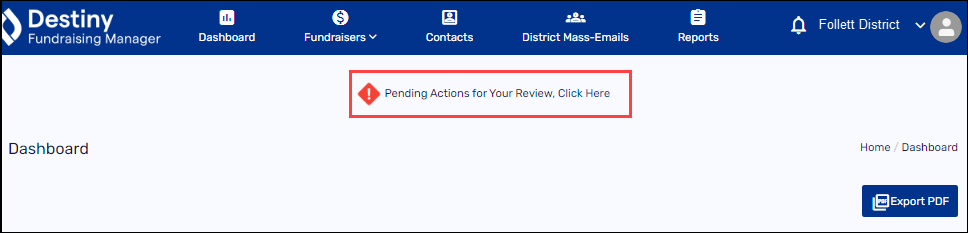
The Approve Fundraising page appears.
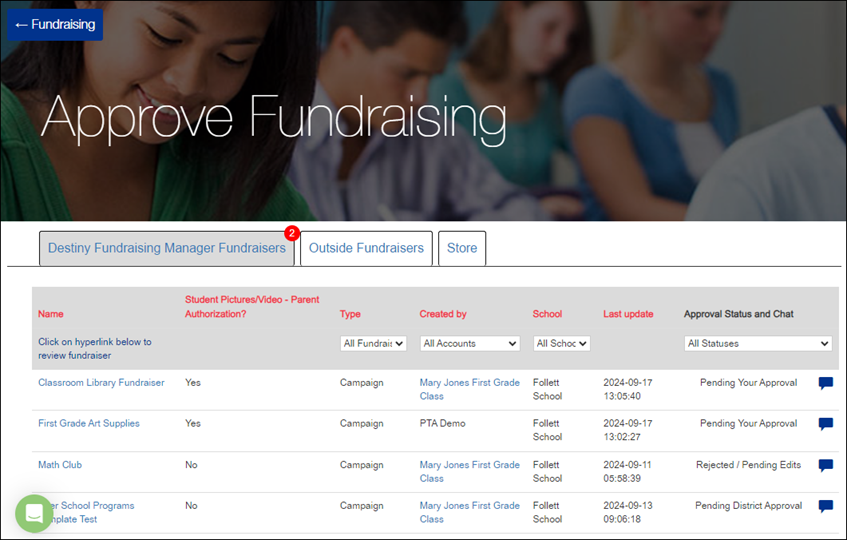
Note: A red circle with a number appears by which type and how many fundraisers need to be approved.
2. Select the tab for the type of fundraiser you want to review:
-
Destiny Fundraising Manager Fundraisers
-
Outside Fundraisers
-
Store
3. In the row of the fundraiser you want, do any of the following:
|
If you want to… |
Then… |
|---|---|
|
Preview the Fundraiser |
Click the name of the fundraiser. A preview of the fundraiser opens in a new window. 
|
|
View the organizer’s Public Page |
Under Created by, click the organizer’s name. Their personal Public Page opens in another window. |
|
Approve or reject the fundraiser |
a. Click the speech bubble icon. A pop-up appears. 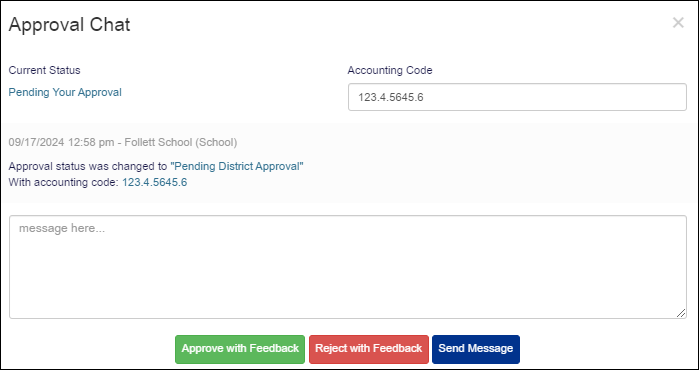
b. Add the accounting code if it wasn’t entered by the bookkeeper. c. Enter a message in the text box (required). d. Do any of the following:
Your message is added to the Approval Chat with the appropriate status update. |
For additional help, contact techsupport@follettsoftware.com.